In today’s digital era, waiting for a physical paper bill to arrive through traditional mail is becoming a thing of the past. Misplaced bills, delayed deliveries, or sudden due dates can cause unnecessary stress and lead to late payment surcharges. If you are a resident or business owner operating under the Multan Electric Power Company distribution network, knowing how to get MEPCO bill online is an essential skill that saves both time and hassle.
Understanding how to get MEPCO bill online ensures you never miss a payment deadline again.
Whether you need to view your current monthly electricity charges, print a duplicate copy for record-keeping, or verify if a payment has gone through, learning how to get MEPCO bill online digitally takes less than a minute. In this detailed guide, we will walk you step-by-step through the entire process of retrieving, understanding, and managing your MEPCO utility bill online from the comfort of your home or mobile device.
What is MEPCO and Why Should You Access Your Bill Digitally?
Multan Electric Power Company (MEPCO) is one of the largest power distribution companies in Pakistan. It supplies electricity to millions of domestic, commercial, industrial, and agricultural consumers across thirteen districts of southern Punjab, including Multan, Bahawalpur, Sahiwal, Dera Ghazi Khan, Rahim Yar Khan, and surrounding areas.
Managing such a vast network means physical bill delivery can occasionally face logistical delays. Transitioning to digital bills and knowing how to get MEPCO bill online offers numerous practical benefits for consumers:
- Instant Access: Retrieve your bill as soon as it is generated by the utility board, often days before paper copies are distributed locally.
- Eco-Friendly Alternative: Digital bills reduce paper waste, contributing to a cleaner environment.
- Loss Prevention: You never have to worry about lost, damaged, or stolen paper invoices.
- 24/7 Availability: Access your account information anytime, anywhere using a smartphone, tablet, or laptop computer.
- Easy Archiving: Store digital PDF copies directly on your device or cloud storage for hassle-free record management.
Prerequisites for Retrieving Your MEPCO Duplicate Bill
Before attempting to search for your electricity bill on the web, you must have one critical piece of information from your account: your unique reference identification number.
Understanding the 14-Digit Reference Number
MEPCO identifies every individual power connection using a specific 14-digit Reference Number. This alphanumeric string contains coding details about your specific batch, sub-division, account number, and consumer type. To locate this number, check any previous paper bill you have on hand. Look at the top-left or top-right header section under labels such as “Reference No.” or “Ref No.”
If you are unsure where to locate this code on your physical statement, feel free to refer to our comprehensive reference number guide, which illustrates the exact placement on various invoice formats.
10-Digit Customer ID Alternative
In addition to the 14-digit reference number, modern MEPCO bills also display a 10-digit Customer ID. While most online portals primarily request the 14-digit reference code, some portals allow searches via Customer ID. Having both numbers noted down in your personal files ensures you can always retrieve your digital statement without delay.
Complete Process on How to Get MEPCO Bill Online Step-by-Step
Retrieving your digital electricity statement is straightforward. Follow these quick steps to master how to get MEPCO bill online and pull up your latest monthly statement instantly:
Step 1: Open Your Browser and Access the Online Portal
Launch any standard web browser on your smartphone or computer (such as Google Chrome, Safari, Mozilla Firefox, or Microsoft Edge). Ensure your device is connected to a reliable internet connection.
Step 2: Locate the Bill Input Form
Once on the bill retrieval page, you will notice an input field asking for your 14-digit reference number. Make sure you select the correct consumer category if prompted (domestic, commercial, or industrial).
Step 3: Enter Your Reference Number Accurately
Type your 14-digit reference number into the designated box. Take extra care to enter the numbers correctly without adding unnecessary spaces, hyphens, or special characters unless specifically requested by the form interface.
Step 4: Submit and View Your Bill
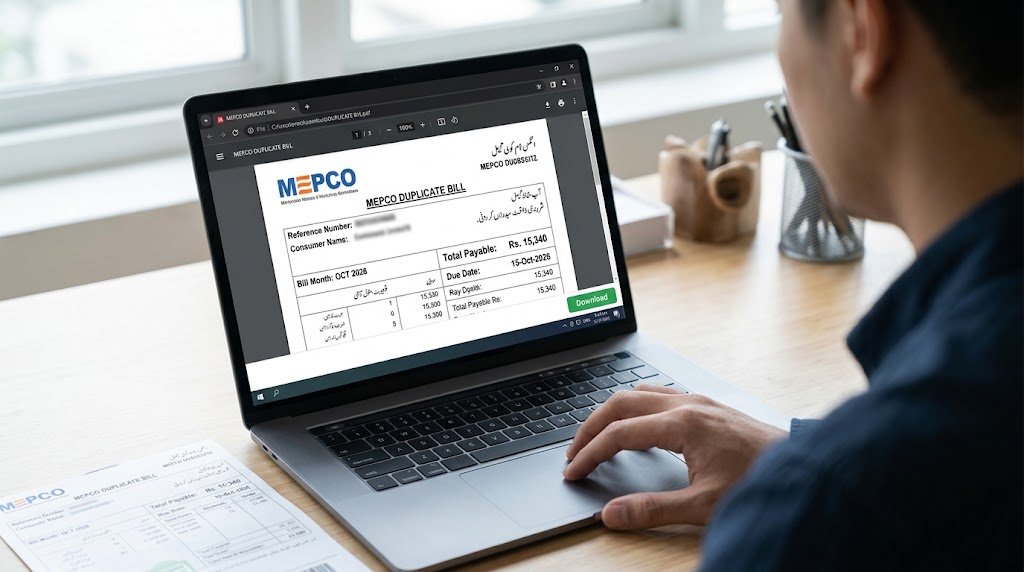
Click on the “Submit”, “Search”, or “Check Bill” button. Within a few seconds, the system will query the central database and display a full-page view of your current month’s duplicate bill on your screen.
Downloading and Printing Your MEPCO Online Bill
Once your statement appears on the screen, you may want to keep a hard copy for official record purposes, visa processing, proof of residence, or bank verification.
When learning how to get MEPCO bill online, saving an electronic copy is very simple. You can easily download MEPCO bill in PDF format directly onto your desktop or mobile storage. Simply click the “Download PDF” or “Print Bill” option visible near the document preview window. If using Chrome or desktop tools, pressing Ctrl+P (Windows) or Cmd+P (Mac) allows you to select “Save as PDF” as your printer destination.
How to Verify Your Bill Payment Status Online
After finding out how to get MEPCO bill online and settling your monthly electricity dues via online banking, mobile wallet services, or over-the-counter channels, it is good practice to double-check whether the transaction has been updated in the official database.
You can quickly check if your MEPCO bill is paid by examining the payment status section on your digital invoice screen. Paid statements usually display a cleared status stamp, a zero payable balance, or an updated payment history entry reflecting your recent payment transaction code. Keep in mind that external payment processors may take between 24 to 48 working hours to synchronize updates with central utility database servers.
Understanding Key Details on Your Online MEPCO Bill
When learning how to get mepco bill online, understanding the terms and line items printed on your document helps you monitor monthly energy usage and manage household budgeting effectively. Here is a breakdown of the primary sections found on a standard bill:
1. Consumer Information
This section lists the registered connection holder’s name, installation address, tariff category, feeder name, sub-division code, and assigned account reference number.
2. Metering and Consumption History
Here, you will find your current meter reading, previous meter reading, reading dates, total units consumed (kWh) during the billing cycle, and a 12-month historical consumption bar chart to help analyze seasonal usage trends.
3. Billing Dates and Due Amount
This critical block highlights three main financial figures:
- Payable Within Due Date: The total amount due if settled on or before the official deadline.
- Due Date: The final calendar date to pay the net bill without incurring penalty surcharges.
- Late Payment Surcharge: An additional fee automatically added if payment is completed after the due date.
- Payable After Due Date: The combined total of the original bill plus the late payment penalty.
4. Surcharges, Taxes, and Adjustments
Your total payable bill consists of basic unit generation costs along with government levies, including Fuel Price Adjustment (FPA), Goods and Services Tax (GST), TV Fee, Electricity Duty, and Financing Surcharges. If you wish to calculate prospective costs based on current unit rates before your official statement arrives, you can use a digital MEPCO bill calculator to estimate your monthly expenditures.
Convenient Payment Methods for Online Bills
Once you have successfully learned how to get MEPCO bill online and fetched your duplicate bill online, paying it is fast and secure through multiple modern channels available across Pakistan:
- Mobile Financial Wallets: Apps like JazzCash, EasyPaisa, SadaPay, and NayaPay allow you to pay utility bills in seconds by scanning the barcode or entering your 14-digit reference number.
- Internet and Mobile Banking: Virtually all major commercial banks (e.g., HBL, Meezan Bank, UBL, Bank Alfalah, Allied Bank) offer utility bill payment features inside their mobile apps.
- ATM Banking: Insert your debit card at any nearest ATM, navigate to Utility Bill Payments, choose MEPCO, enter your reference number, and confirm the transaction.
- Over-the-Counter (OTC): You can print out your duplicate PDF copy and pay physically at commercial bank branches, Pakistan Post offices, or authorized retail e-Sahulat outlets.
Troubleshooting Common Issues When Fetching Your Bill
While learning how to get MEPCO bill online and retrieving your duplicate statement online is generally smooth, you might occasionally face minor issues. Here is how to fix common problems:
“Invalid Reference Number” Error
If the system reports an invalid reference code, double-check your typing. Ensure you have entered all 14 digits accurately without typos. Confirm that you are entering the reference number rather than the Customer ID if the portal specifically demands the former.
Slow Page Loading or Timeout Errors
During peak hours—typically when new monthly bills are uploaded—server traffic can spike dramatically. If a webpage loads slowly or displays a connection timeout error, refresh your browser, clear cache memory, or try accessing the portal again after 15 to 30 minutes.
Current Month Bill Not Showing
If your search query still displays last month’s statement, MEPCO may not have finalized reading calculations for your specific billing cycle zone yet. Meter readings are conducted in staggered batches throughout the calendar month. Check back in a day or two closer to your usual bill issue date.
Frequently Asked Questions (FAQs)
Is there any fee when learning how to get MEPCO bill online or downloading it?
No, checking, viewing, downloading, or printing your duplicate MEPCO utility bill online is entirely free of cost.
Can I check my MEPCO bill online using my CNIC number?
Currently, the official MEPCO bill lookup system requires a 14-digit Reference Number or 10-digit Customer ID to access specific connection statements. Searching directly by CNIC is not widely supported across general public billing query tools for privacy reasons.
How early is the online bill updated before paper bills arrive?
Online duplicate statements are usually available in the database system within 24 to 48 hours after meter readings are finalized, which is often 3 to 7 days before physical paper bills are physically delivered to your home by mail couriers.
Conclusion
Mastering how to get mepco bill online provides complete financial clarity and control over your monthly electricity utilities. By keeping your 14-digit reference code accessible, you can retrieve, review, download, and pay your statement in just a few clicks from any connected device. This fast digital convenience helps you avoid missing payment deadlines, protects you from late fee penalties, and allows you to keep an organized history of your family’s monthly power expenses.