
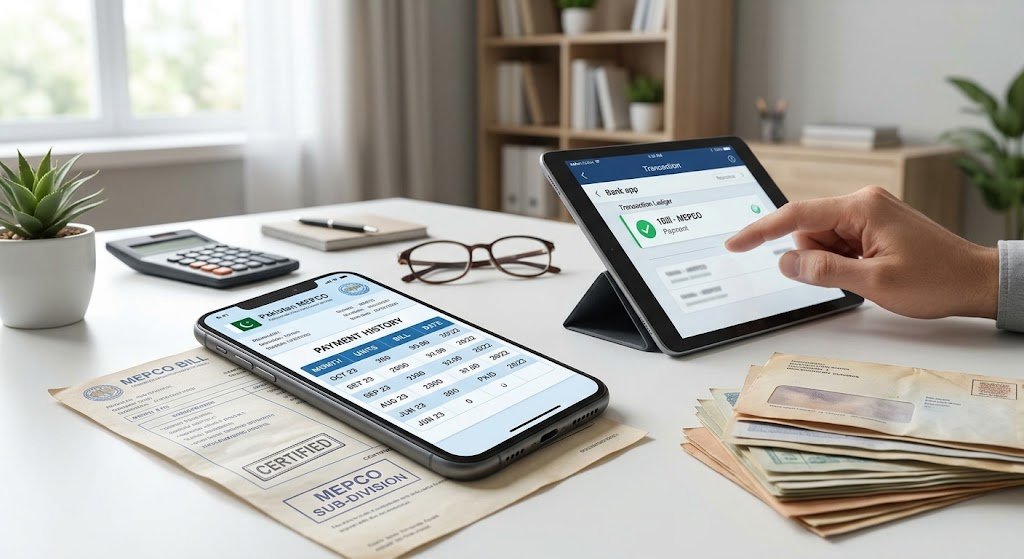
Losing track of your utility expenses happens more often than you might think. Whether you are preparing your annual tax return for the Federal Board of Revenue (FBR), resolving a tenant-landlord dispute, applying for a visa, or simply analyzing your household electricity consumption over the past year, knowing how to check old MEPCO bill records is an essential skill.
The Multan Electric Power Company (MEPCO) serves millions of consumers across southern Punjab, covering Multan, Bahawalpur, Dera Ghazi Khan, Rahim Yar Khan, Sahiwal, and neighboring districts. While checking your current electricity bill online takes only a few seconds, retrieving historical billing statements or past payment confirmations requires a slightly different approach.
In this comprehensive guide, we will explain how to check old MEPCO bill records online, view 12-month consumption history, and download payment receipts.
Can You Check Old MEPCO Bill Online?
Before diving into the steps, it helps to understand what the MEPCO online database actually provides. A common question consumers ask is whether they can download an exact replica of a bill from two or three years ago with a single click.
The standard MEPCO online billing system primarily serves the most recent billing month. When you request a duplicate bill online, the system generates the active bill issued for the current cycle. However, that does not mean your historical data is lost. MEPCO bills include an embedded historical record, and specialized portals allow you to view prior payment trails.
Depending on what specific details you need, you have four distinct ways to track your historical records:
- The 12-Month Billing History Table: Printed directly on your latest duplicate bill.
- Banking and Digital Wallet History: Stored inside apps like JazzCash, Easypaisa, or 1Bill-supported banking apps.
- The PITC Customer Portal: Providing deeper consumer ledger records.
- MEPCO Customer Service Centers (Sub-Divisional Offices): For certified, stamped paper copies of bills dating back several years.
Method 1: How to Check Old MEPCO Bill via 12-Month Consumption History
If you are searching for how to check old MEPCO bill details to compare electricity usage, the easiest method is inspecting the history section on your latest bill.
Step 1: Locate Your Identification Numbers
To view your bill online, you need one of two key identifiers printed on any previous paper bill:
- 14-Digit Reference Number: This unique number identifies your specific meter and connection sub-division. It usually ends with a letter (such as ‘U’ for unconfirmed or ‘R’ for residential).
- 10-Digit Consumer ID: A shorter numerical code introduced to simplify electronic payments and tracking.
Step 2: Generate Your Duplicate MEPCO Bill
Visit the official MEPCO online billing webpage or authorized utility portals. Enter your 14-digit reference number (without spaces) or your 10-digit Consumer ID into the input field and click the submit button. Within seconds, a digital copy of your current MEPCO bill will render on your screen.
Step 3: Locate the Historical Data Table
Once your bill appears on screen, zoom in and look toward the lower-middle or right-hand portion of the document. You will find a distinct tabular section titled “Payment / Consumption History”. This table provides a month-by-month breakdown containing the following columns:
- Month: Displays the past 12 billing cycles (e.g., JAN 24, FEB 24, MAR 24).
- Units Consumed: The exact kilowatt-hour (kWh) reading recorded for each month.
- Total Bill Amount: The net billed figure including taxes and fuel adjustments.
- Amount Paid: The actual payment credited to your MEPCO account.
- Payment Date: The calendar date on which your payment was registered in the MEPCO system.
This payment history section is the fastest technique for **how to check old MEPCO bill** monthly consumption data.
Method 2: How to Check Old MEPCO Bill Payment History via Mobile Wallets
If you want to know how to check old MEPCO bill payment status, mobile banking apps like JazzCash and Easypaisa maintain exact transaction ledgers.
Using Commercial Bank Apps (HBL, Meezan, Alfalah, UBL, etc.)
- Log in to your respective mobile banking application.
- Navigate to the Account Statement or Transaction History section.
- Filter the transaction history by date or select the “Bill Payment” category.
- Find the payment made under the 1Bill or MEPCO utility section.
- Tap on the transaction to view the detailed e-receipt, which shows your Consumer ID, paid amount, transaction reference ID, and execution date.
- Download or take a screenshot of the digital receipt for your records.
Using Microfinance Wallets (JazzCash & Easypaisa)
Using digital wallet transaction receipts is an effective way for how to check old MEPCO bill paid receipts instantly:
- Open your JazzCash or Easypaisa app and authenticate your account.
- Tap on your transaction history or passbook.
- Locate the specific utility payment entry.
- Click on the entry to generate a downloadable PDF transaction slip bearing the official transaction watermark.
Method 3: How to Check Old MEPCO Bill Archives via Sub-Divisional Office
Another effective process for how to check old MEPCO bill history is by accessing the official PITC consumer complaint and ledger portal.
To access billing status records via centralized portals:
- Access the central PITC consumer verification portal.
- Select MEPCO from the list of power distribution companies.
- Enter your 14-digit reference number.
- Review the account ledger screen, which reflects recent billing cycles, arrears status, and whether previous payments cleared successfully.
Method 4: Visiting the MEPCO Sub-Divisional Office (For Older Archives)
There are situations where digital methods will not suffice. For example, if you need complete itemized tax invoices from two years ago to defend an FBR audit, or if you are involved in a legal dispute regarding inherited property, you will need physical, stamped documentation.
For physical stamped records, understanding how to check old MEPCO bill statements through the sub-divisional office is required.
Step-by-Step Procedure at the Sub-Division:
- Locate Your Sub-Division: Check your current bill to find the name and contact code of your local sub-division (e.g., Shah Rukn-e-Alam Sub-Division, Cantt Sub-Division, etc.).
- Gather Your Documents: Bring a copy of your Computerized National Identity Card (CNIC), the meter reference number, and your property ownership documents or tenancy agreement.
- Meet the Commercial Assistant or Revenue Officer (RO): Inquire at the customer facilitation desk to be directed to the billing clerk or Revenue Officer.
- Request a Consumer Ledger Printout: Ask for a certified copy of your billing ledger (often referred to as an “Account History” or “Consumer Ledger”).
- Verification and Stamping: The officer will print the past account statements from the central SAP/ERP database and stamp it with an official sub-divisional seal.
Important Components on Your MEPCO Bill Explained
When you are examining old MEPCO bill statements, understanding the line items helps you determine whether previous charges were standard consumption or retrospective adjustments. Here is a breakdown of the vital information found on every statement:
| Field Name | Description |
|---|---|
| Tariff Category | Identifies whether your connection is A-1 (Residential), A-2 (Commercial), or Industrial, dictating your unit price slab. |
| Fuel Price Adjustment (FPA) | A fluctuating surcharge reflecting differences in power generation fuel costs, often billed 1 to 2 months retroactively. |
| F.C. Surcharge | Financing Cost surcharge levied to service power sector debt across the national grid. |
| Electricity Duty (ED) & GST | Provincial duty and Federal General Sales Tax calculated as a percentage of your total electricity cost. |
| Meter Reading Dates | Lists the previous and present reading dates, allowing you to calculate the exact duration of your billing cycle. |
Why You Need to Check Old MEPCO Bill Online
Reviewing historical electricity bills is useful across various practical situations. Understanding your motivation makes it easier to pick the most efficient retrieval method:
1. Filing Tax Returns (FBR)
When filing tax returns, knowing how to check old MEPCO bill** tax deductions helps claim withholding tax. Section 235 of the Income Tax Ordinance applies withholding tax to electricity bills exceeding certain monetary limits. Your historical bill details verify the exact tax deducted throughout the fiscal year.
2. Moving Into a Rented Property
Tenants moving into a new home or commercial building should always verify at least the last six months of billing records. This ensures that the prior occupant did not leave unpaid electricity debts, pending installment plans, or detection bills (penalties for meter tampering) that could lead to immediate power disconnection.
3. Verifying Solar Net Metering Adjustments
If you have installed a grid-tied solar system with a bi-directional green meter, you must track exported versus imported units. Reviewing past bills confirms that your MEPCO sub-division properly credited excess units to your account and carried forward balances into winter months.
4. Detecting Abnormal Surges or Meter Defects
If your bill suddenly quadruples without any change in appliance usage, comparing current figures with the previous year’s corresponding month helps you detect whether the meter is malfunctioning, over-reading, or burdened by an administrative reading error.
Troubleshooting Common Problems When Checking Old Bills
When searching for past billing records, users frequently encounter minor technical hurdles. Here is how to navigate them:
Error: “Reference Number Does Not Exist”
This error typically occurs due to typographical errors. Ensure that you have entered all 14 digits without any spaces, dashes, or punctuation marks. If your reference number ends with an alphabet character, verify whether it should be capitalized. Keep in mind that older connections occasionally undergo sub-divisional renumbering; check your most recent paper invoice to confirm your current active reference number.
Website Times Out or Fails to Load
During the first week of each calendar month, distribution company servers experience high visitor traffic as millions of households check their fresh bills simultaneously. If the database fails to respond, attempt your search during off-peak hours (early morning or late evening) or clear your web browser cache.
Missing Payment Date in History Table
If the 12-month table shows that an amount was billed but leaves the payment date blank, it means the payment had not reconciled on the day the latest statement went to print. If you paid via a commercial bank or post office near the due date, reconciliation can take 3 to 5 business days to appear on the digital record.
Tips for Managing Your MEPCO Bills Moving Forward
To avoid spending unnecessary time and effort trying to locate historical billing records down the road, consider implementing these simple account management habits:
- Create a Dedicated Cloud Folder: Each month when you download your duplicate bill, save the PDF file inside a cloud storage folder (such as Google Drive or Dropbox) labeled with the year and month.
- Register for SMS Alerts: MEPCO offers automated SMS notification services. Register your mobile number with your consumer reference ID to receive monthly billing totals, due dates, and payment confirmations straight to your messaging inbox.
- Save Electronic Banking PDF Receipts: Whenever you pay a bill online, hit the “Share” or “Download Receipt” button immediately and save it in your records.
Frequently Asked Questions (FAQs)
Can I download a PDF copy of an old bill from 6 months ago?
Direct consumer duplicate portals only generate the active billing month’s PDF. However, you can view the unit consumption, billed charges, and payment dates for the past 12 months in the history table of your latest duplicate bill. If you specifically need the complete itemized bill layout from 6 months ago, you must request it directly from your local MEPCO sub-division.
What is the difference between a Reference Number and a Consumer ID?
A reference number is a 14-digit geographical code that details your sub-division, feeder, and consumer serial number. A Consumer ID is a 10-digit customer identification code assigned to modernize consumer profiles for online banking and customer support.
How long does MEPCO store billing records in their office archives?
MEPCO maintains computerized consumer billing ledgers for several years on central servers. For physical archives and paper ledgers, records are retained according to public utility record-keeping regulations, typically up to ten years.
Can I check old MEPCO bills using my CNIC number?
No, MEPCO does not currently provide an online search feature based purely on CNIC numbers. Electricity meters are registered under properties rather than national identity cards. You will always need either your 14-digit reference number or your 10-digit Consumer ID to access account information.
Conclusion
Understanding how to check old MEPCO bill details gives you total control over utility expenses, tax deductions, and record keeping. While direct web portals focus on the current billing cycle, your recent duplicate bill’s 12-month history table, combined with your mobile banking archives, provides almost all the information you need in minutes.
If your requirements call for signed and stamped invoices for legal or governmental disputes, your local MEPCO sub-divisional office remains fully equipped to pull comprehensive historical statements directly from the company’s central database.
1 thought on “How to Check Old MEPCO Bill Online: Complete Step-by-Step Guide”