
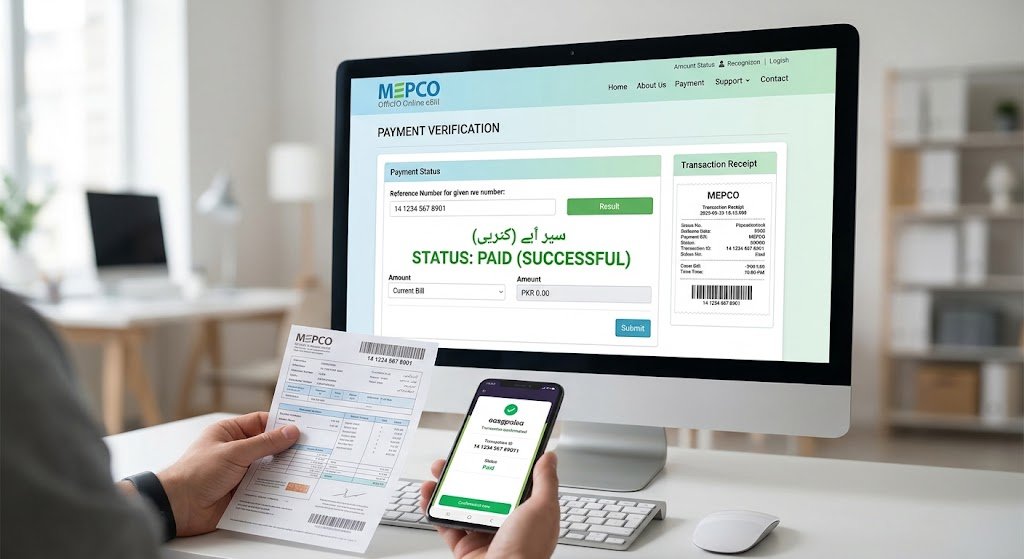
You transferred the money, the app said “successful,” and yet a week later you are still not sure the electricity company received it. That doubt is exactly why so many consumers in South Punjab search for how to check MEPCO bill paid or not every single month.
The good news is that verification takes about two minutes once you know where to look. This guide explains how to check MEPCO bill paid or not using six reliable methods, covers processing times, and tells you exactly what to do if a paid bill is still showing as outstanding.
Why You Should Check MEPCO Bill Paid or Not Every Month
An unconfirmed payment is not a minor annoyance. If MEPCO’s billing system does not record your payment before the due date, three things follow:
- A Late Payment Surcharge (LPS) is added to the following month’s bill.
- The unpaid amount is carried forward under the Arrears line item.
- Repeated non-payment can lead to a disconnection notice from your local subdivision office.
Checking early gives you time to fix a failed transaction first. It matters most when you pay on the last day, through a third-party retailer, or when someone else pays on your behalf.
What You Need Before You Start
Every method below depends on one thing: your 14-digit reference number. It is printed at the top-left corner of your bill, above the consumer name, and never changes for a given meter.
If you cannot find your slip, read our detailed walkthrough of the MEPCO bill reference number — it shows what each digit means and how to recover the number if you have lost every slip. You can also pull a fresh copy of your statement from the duplicate bill download page.
Keep your payment receipt handy too. A screenshot from Easypaisa, JazzCash, or your bank app with a visible transaction ID (TID) is the single strongest piece of evidence in any billing dispute.
6 Easy Methods on How to Check MEPCO Bill Paid or Not
Method 1: How to Check MEPCO Bill Paid or Not Online
The fastest way to check MEPCO bill paid or not is an online lookup. Enter your 14-digit reference number on our MEPCO online bill check tool and the statement loads instantly, drawn from the Power Information Technology Company (PITC) data used by all WAPDA-affiliated DISCOs.
Read two fields carefully:
- Payable Within Due Date — if this shows zero or the bill is marked paid, the payment has been recorded.
- Arrears — a zero here means no previous balance is outstanding.
If the bill still shows the full amount, the payment has not synced yet. Give it a day before assuming something went wrong.
Method 2: Bank or Mobile Wallet App
This is the trick most people miss when learning how to check MEPCO bill paid or not. Open Easypaisa, JazzCash, HBL Mobile, Meezan, or any 1LINK-connected app and start a new bill payment with the same reference number.
If the bill is already settled, the app will refuse to proceed and return a message such as “Bill Already Paid” or “No Unpaid Bill Found.” That refusal is your confirmation. Banking systems typically reconcile with MEPCO within 24 to 48 hours, so this method is dependable a day after payment.
Method 3: Compare Against Your Bill History
Payments leave a trail. Pull up your MEPCO bill history and read the last twelve statements side by side. A history with no rolling arrears confirms every earlier payment was captured, and it makes an unusual spike easy to spot.
Method 4: Check Arrears on Next Month’s Bill
The simplest confirmation is also the slowest. When your next statement arrives, read the Arrears row. If it shows zero, last month’s payment was posted on time.
If it carries the old amount plus a surcharge, the payment failed, arrived after the due date, or went to the wrong reference number. Our MEPCO bill calculator and unit price guide helps you separate genuine consumption from a carried-forward balance.
Method 5: Call the MEPCO Helpline
MEPCO runs a toll-free consumer helpline on 118, with 0800-63726 as a backup line. Give the representative your reference number and ask for the posting date of your last payment.
For a formal record, file a complaint through MEPCO’s Complaint Cell Management System (CCMS), the same platform used across the DISCOs regulated by NEPRA. You get a tracking number to follow up on.
Method 6: Visit Your Subdivision Revenue Office
When the online record and your receipt disagree, an in-person visit settles it. Take a printed receipt showing the transaction ID to the revenue office of the subdivision named on your bill — Multan, Bahawalpur, Dera Ghazi Khan, Sahiwal, Vehari, Khanewal, Muzaffargarh, Rahim Yar Khan, Layyah, Lodhran, Rajanpur, or Bahawalnagar. The clerk can trace the payment against the scroll from the collecting bank and post a manual adjustment.
How Long Does a MEPCO Payment Take to Show as Paid?
When you check MEPCO bill paid or not, timing matters. Knowing the normal sync window prevents unnecessary panic:
| Payment channel | Typical time to reflect |
| Bank branch counter | 24–48 hours |
| Mobile wallet (Easypaisa, JazzCash) | 24–48 hours |
| Internet or mobile banking | 24–72 hours |
| ATM payment | 24–48 hours |
| Weekend or public holiday payment | Add 1–2 working days |
These are typical timeframes, not a guaranteed service level. If three working days pass with no update, move to Method 5 or 6.
Paid but Still Showing Unpaid? Do This
- Do not pay again. A duplicate payment takes weeks to sort out and is usually credited as advance balance rather than refunded.
- Save your evidence. Screenshot the transaction ID, amount, date, and the reference number you entered.
- Re-check the reference number you typed. One wrong digit sends the payment to another consumer’s account — the most common cause of a “missing” payment.
- Lodge a CCMS complaint and note the tracking number.
- Visit the revenue office with your receipt if the complaint stalls.
Common Mistakes to Avoid
- Checking within an hour of paying. The system has not synced yet.
- Using the consumer ID instead of the reference number. They are different fields, and mixing them up returns no result.
- Trusting an SMS alone. A wallet debit alert confirms money left your account, not that MEPCO posted it.
- Ignoring the arrears line. Many people read only the current amount and miss the carried-forward balance under it.
- Paying at unauthorised counters. Use a bank, an authorised franchise, or a licensed wallet so a traceable transaction ID exists.
Final Words
Master the steps on how to check MEPCO bill paid or not to remove the guesswork from your monthly routine. Start with an online lookup by reference number, cross-check in your banking app the next day, and keep every receipt until the following month’s arrears line reads zero.
Disclaimer: mepcoonlineebill.pk is an independent consumer-information and bill-lookup resource and is not officially affiliated with Multan Electric Power Company.
2 thoughts on “How to Check MEPCO Bill Paid or Not”